






The Joint Admissions and Matriculation Board (JAMB) has started releasing the results for the 2026 Unified Tertiary Matriculation Examination (UTME).
The examination, which started on Thursday, 16 April 2026 and runs till Saturday, 25 April 2026, is expected to receive 2,243,816 candidates nationwide. About 940 Computer-Based Test (CBT) Centres are involved in the exercise.
In comparison, the 2025 UTME candidates were 2,030,627, while the 2024 UTME recorded 1,985,642 registrations, a 24.4% increase from 1,595,779 in 2023. The 2022 examination saw 1,867,743 candidates, 1,949,983 in 2020, while 2018 had 1,653,127.

This piece will guide candidates on how to check their UTME results online or via SMS. It also contains common errors encountered while checking the results and possible solutions.
What you need to check your result
To check your result via SMS, you need
- A keypad or smartphone.
- Phone number linked to your registration number
- A minimum of N50 airtime on the SIM card.
To check your result online, you must have
- A smartphone or internet-supported laptop with good internet connectivity.
- Your registration number or linked email address
How to check your JAMB/UTME result via SMS
Checking your UTME 2026 result via SMS is the more commonly used of the two. This is because it’s easier, comfortable and compatible with either a keypad phone or smartphone.
Also, you don’t need an internet connection to check your result via SMS. All you need is a phone, the registered number used in generating your profile code and a minimum of N50 airtime.
To check
Step 1: At the SMS session of your phone, send UTMERESULT to 55019. Ensure you’re sending the message with the phone number linked to your registration number. This is important for phones using two or more SIM Cards.
Once sent, a service charge of N50 airtime will be deducted from your airtime balance.

Step 2: Within minutes, depending on time and network, you’ll receive your JAMB Score via SMS.
If you waited long without a response, try again at a later time. Before trying again, ensure you have at least N50 airtime. This means that every SMS sent comes with a N50 service charge.
Also Read: UTME 2026: JAMB revises first session’s arrival time to 7am.
How to check your result online
To check your 2026 JAMB/UTME on the JAMB result checking portal, a good internet connection is essential.
To Check
Step 1: On your browser, type https://efacility.jamb.gov.ng/CheckUTMEResults or click here to access the JAMB result-checking portal.
Step 2: Enter your registration number or your linked email address.

Step 3: Click on the box “Check My Results”. The next page displayed will contain details regarding your UTME result. However, the internet response rate depends on your network’s quality.
You can either screenshot or print it for future reference.
Some common issues while checking your result
Checking JAMB results may be complicated for some candidates due to some errors or issues that may arise.
Note that the following list is based on what happened in previous years.
1. Network Issues
Status: This is a very common issue faced by candidates. In checking your results, you might experience delays relating to a weak internet connection.
Solution: Find a location with good internet or check at midnight when the server has less or no traffic.
2. “Result Withheld”
Status: When you see this message, it means your result has been withheld by JAMB due to some ongoing investigations.
Solution: All you need to do is visit the JAMB office in your state for complaints and further clarification.
3. “Result Not Available” / “No record found”
Status: This can imply that your result may still be processed. In another case, it can mean an error message.
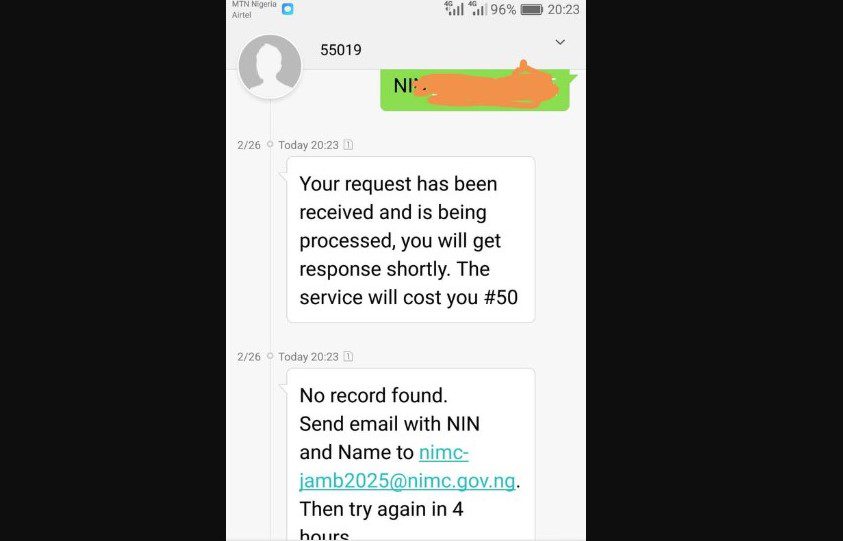
Solution: Try again later. You can switch the result checking mode. i.e., from SMS to Online, or Online to SMS.
4. Incorrect Phone Number
Status: This isn’t an error message but an issue peculiar to SMS mode. It occurs when an unregistered phone number is used in checking the result.
Solution: Ensure the registered SIM/Phone number is used in sending the message.
If any of the issues persist and you need to lodge a complaint with JAMB directly, you can create a ticket for your complaint so that JAMB can monitor and treat your complaint.
You can reach out to the examination board through these official channels:
- X (formerly Twitter): JAMBHQ
- Email: info@jamb.gov.ng
You can also visit the SERVICOM department of the nearest JAMB office.
