




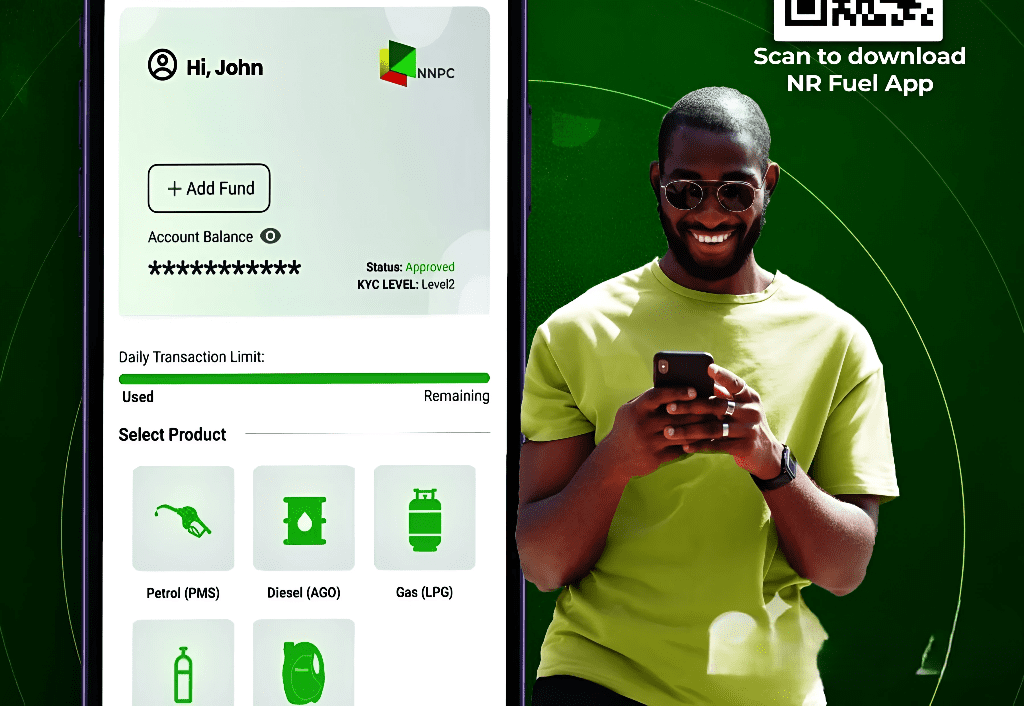
The Nigerian National Petroleum Company Limited (NNPCL) launched a new mobile application, NNPC Fuel App, which was developed in collaboration with Fidelity Bank and aims to simplify fuel purchases for customers.
At the launch on Wednesday, the NNPC mentioned that the fuel app offers a seamless and user-friendly experience for customers to purchase petroleum products using their mobile device. Described as a major step in Nigeria’s digital retail space, NNPCL highlighted that the initiative aligns with its customer-centric approach to ensure Nigerians can plan fuel needs with ease, reliability, and transparency.
“Average (Nigerian) customers are people who are always on an unlimited budget. If fueling is a key driver of your cost, you need to manage it, and having that money saved in your wallet is the key,” it said.
The company also explained that the NNPC Fuel App is built with high-level security protocols to prevent data breaches and will continue to undergo continuous improvement to meet evolving needs.
Key features of the NNPC Fuel App
The NNPC Fuel App helps users navigate their transactions with the following offerings:
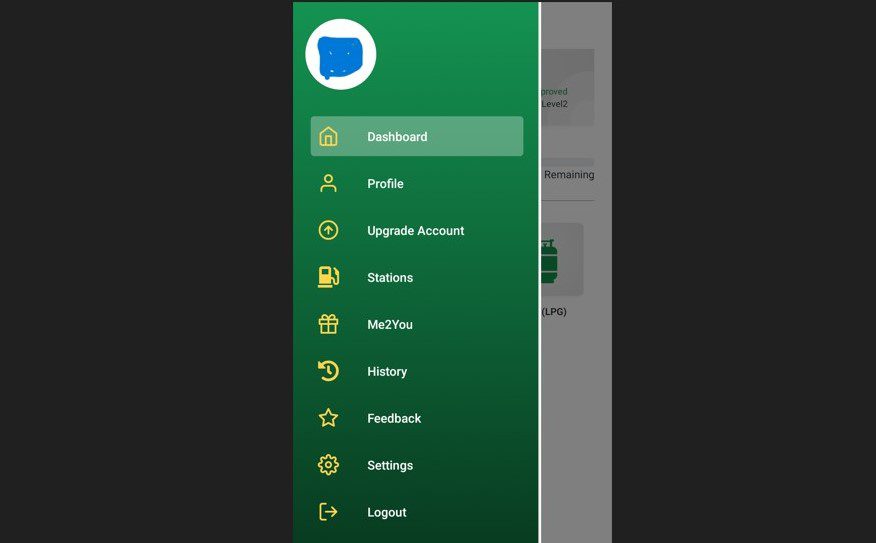
- Users can locate nearby NNPC retail stations, purchase fuel, track transactions, and access real-time fuel availability information through the app.
- Make payments for products such as petrol, diesel, gas, compressed natural gas, and lubricants.
- They can access up-to-date information on fuel availability at different stations, helping them plan their refuelling needs efficiently.
- The app allows users track their fuel purchases and manage their transactions digitally.
- The app includes a feedback mechanism where users can provide feedback on their experience, which can help NNPCL improve its services.
- It features an upgrade session where users can upgrade their accounts to higher tiers.
- Me2U: an e-market offering (upcoming).
Also Read: A complete guide on applying for the Nigerian International Passport online
Getting started with the NNPC Fuel App
Opening an account
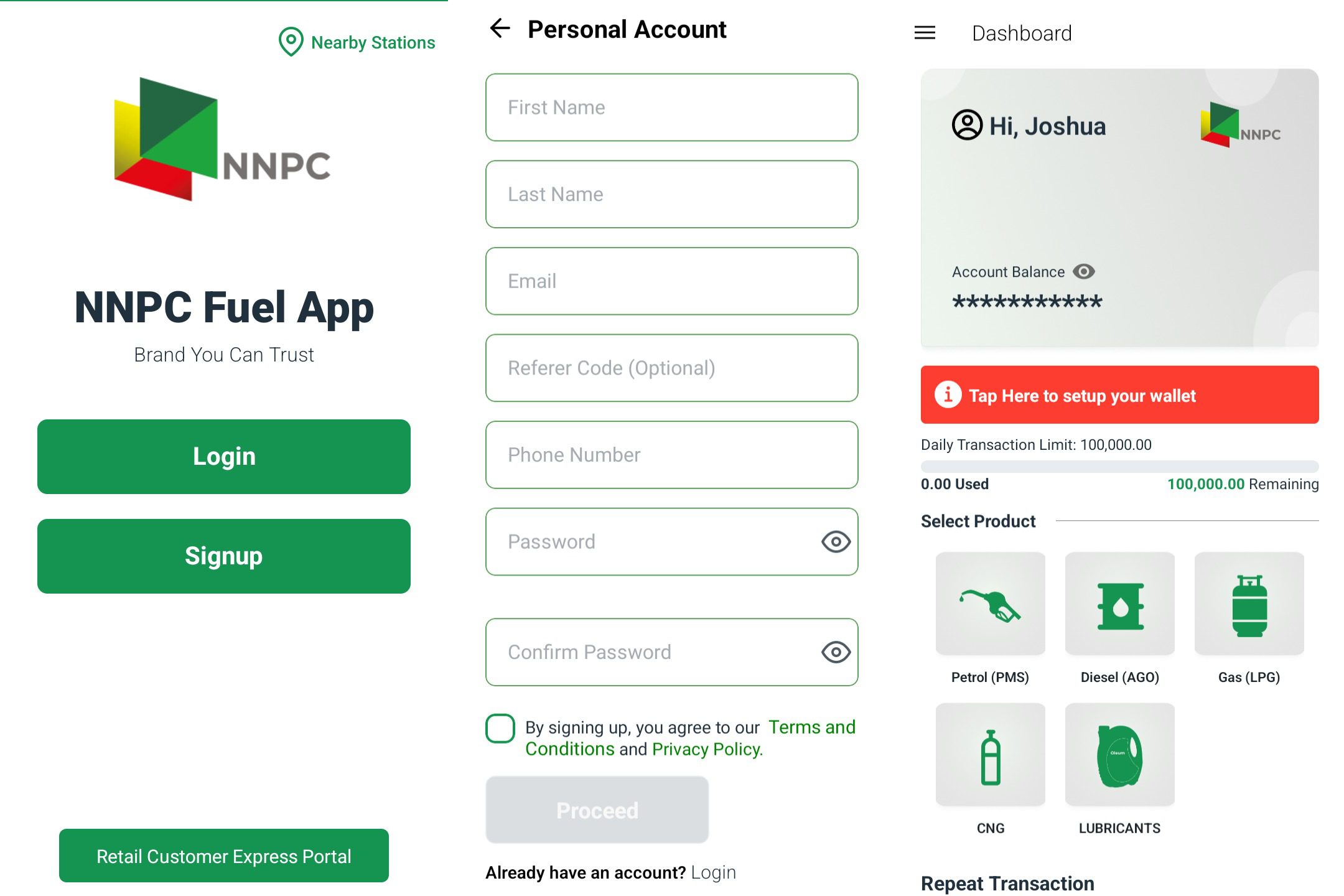
- Download and install the NNPC Fuel app from the Google Play Store or App Store.
- Sign up with biodata such as name, a valid email, phone number, and password.
- Tick the Terms and Conditions box after reading and agreeing to consent, then click on “Proceed”.
- A One Time Password (OTP) already sent to the provided email will be required for account verification.
- You’ll only need to provide your password on another visit.
Setting up your account’s wallet
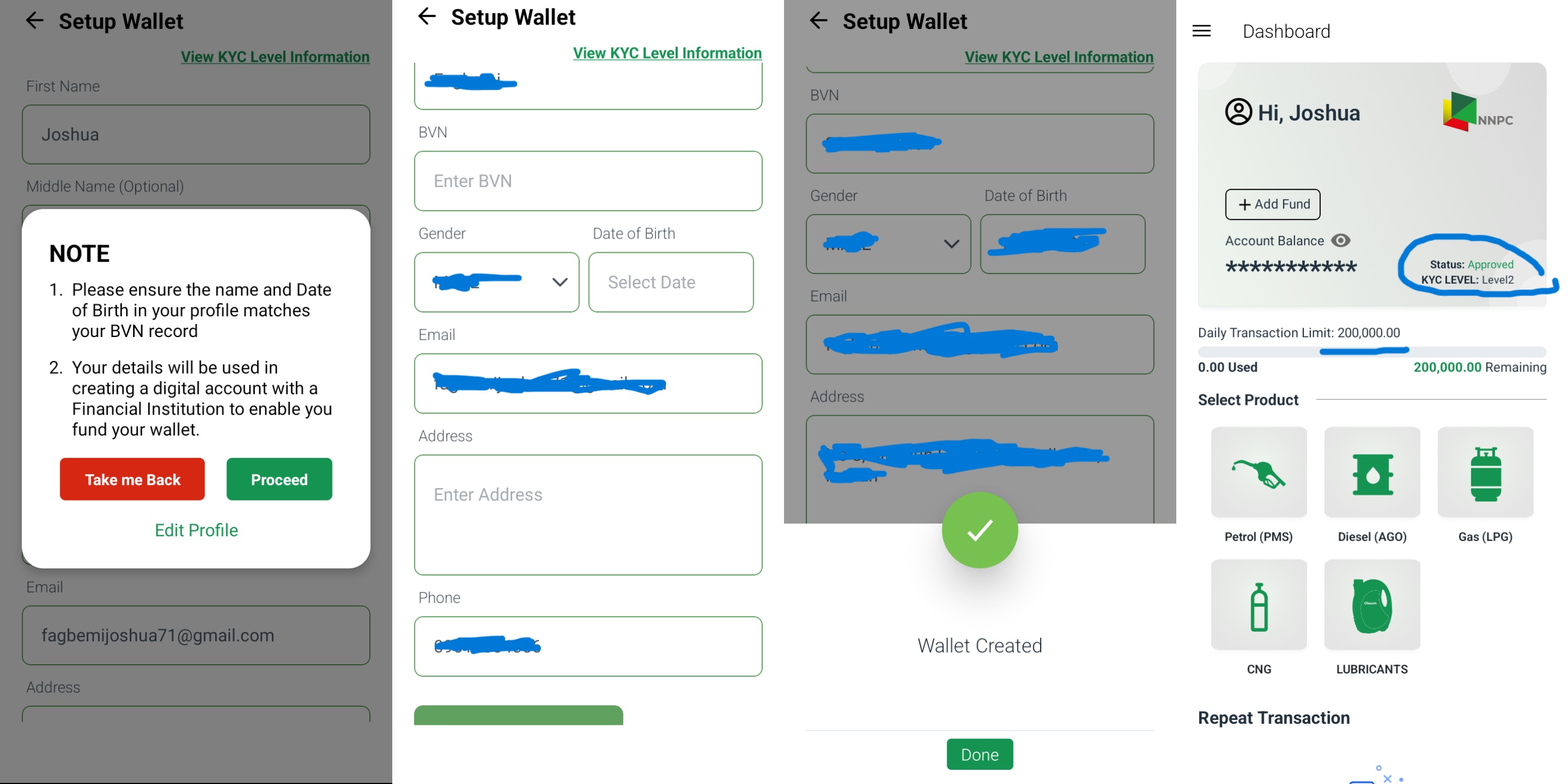
Once you’re signed in, you’ll be required to set up your wallet. With the required information, the wallet will be created automatically with a Fidelity Bank account.
- Click on ‘Tap Here to set up your wallet’ on the dashboard.
- Provide additional information such as middle name, date of birth (DOB), gender, Bank Verification Number (BVN), and home address. Ensure the names and DOB match your BVN records. Once provided, click on ‘Proceed’.
- A wallet will be created with KYC level 2.
- You’ll be required to set up a transaction PIN of 4 digits.
KYC (Know Your Customer)
The platform’s KYC is categorised into three tiers.
Tier 1: Capped with a daily cumulative transaction limit of NGN50,000 and a balance limit of NGN300,000. It is an automatic status for users yet to supply their BVN
Tier 2: Capped with a daily cumulative transaction limit of NGN200,000 and a balance limit of NGN500,000. Provision of your BVN upgrades you to this tier.
Tier 3: Capped with a daily cumulative transaction limit of NGN50 million and an unlimited balance limit. To get upgraded to this tier, you’ll need to provide proof and details of your utility bill.
How to upgrade
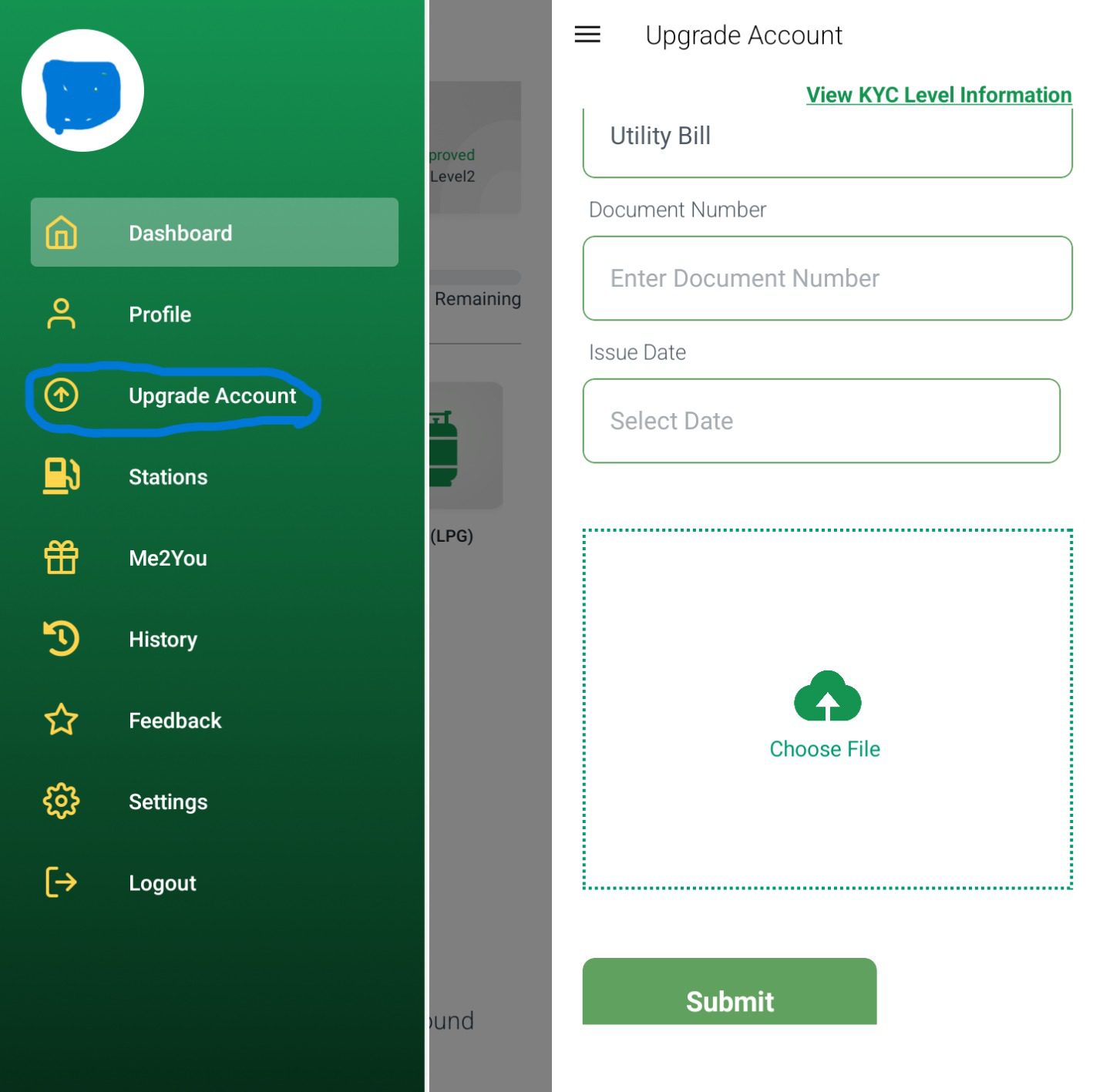
- On your dashboard, click on the bar at the top left corner.
- Click on ‘Upgrade Account’
- Provide details such as the utility bill number, issue date, and upload proof. Then click on ‘Submit’.
- Your request will then be processed for verification.
Note: As of this article’s timing, upgrading to tier 3 has not been activated on the app.
Funding your Wallet
Once a wallet has been created, you can then proceed to fund your wallet. Note that you can fund your wallet above your balance limit.
- On your dashboard, click on ‘Add Fund’
- Copy your Fidelity Wallet Account Number.
- Fund it through any digital payment method or any preferred medium.
- Once payment is made, the amount will reflect in your NNPC Fuel App wallet.
Getting a product
With your wallet funded, you are on track to purchase the NNPC product.
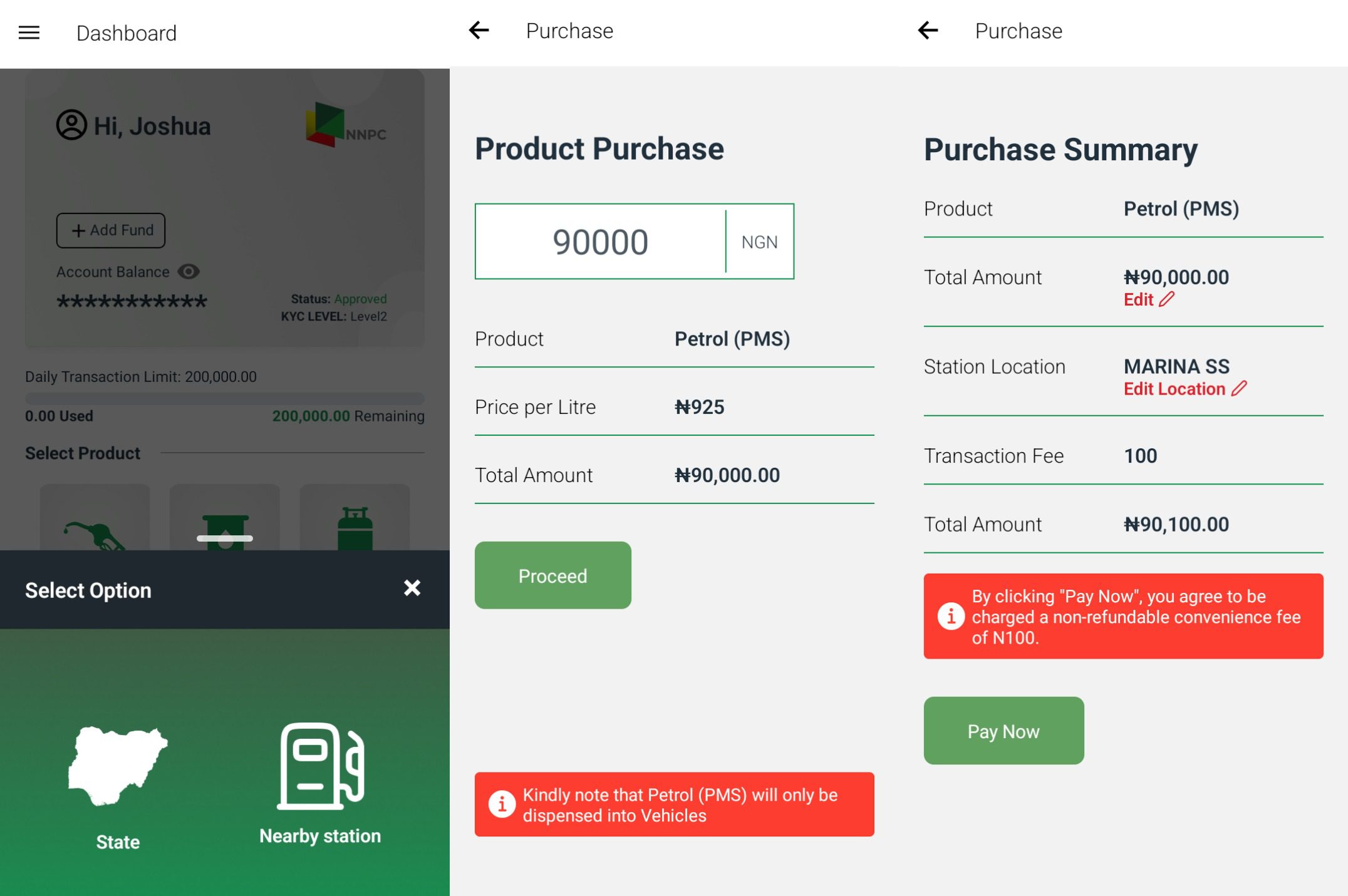
- On your dashboard, click on the icon of any product you want to purchase.
- Select State or allow the app to search for an NNPC nearby filling station using your current location.
- If you click on State, select your current state and the NNPC filling station of your choice.
- Provide the amount and click on ‘Pay Now’. Note that there’s a service charge of NGN100 on any transaction amount.
- After successful payment, the receipt generated serves as proof of payment at the filling station.
With the app in its earliest stage, some NNPCL filling stations might be unfamiliar with the system. While the app is created to make you pay from your comfort zone, you can try reaching the filling station and be sure of their implementation of the NNPC Fuel app system before making the payment.
However, the NNPCL emphasised that the app will continue to accommodate more features and consistent updates in the future.
